GIO: AI Headshot Generator
Prequel Inc.Photography
4.41.87K Reviews
- Version
- 1.28.4
- Installs
- 5.00M
- Age Rating
- Mature 17+
Screenshots
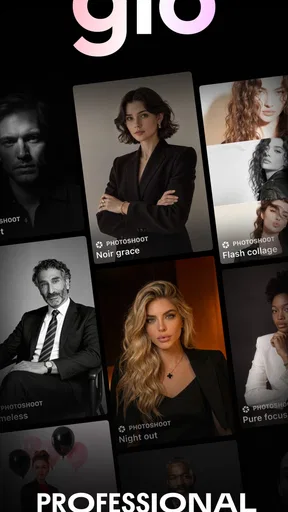
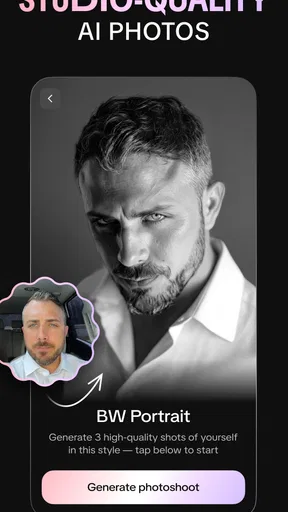
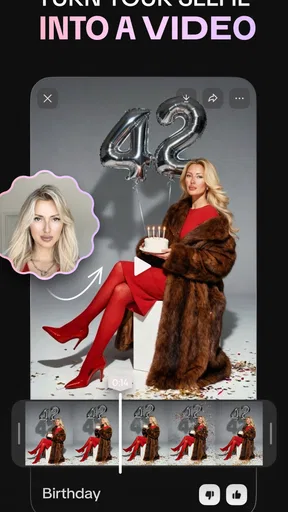
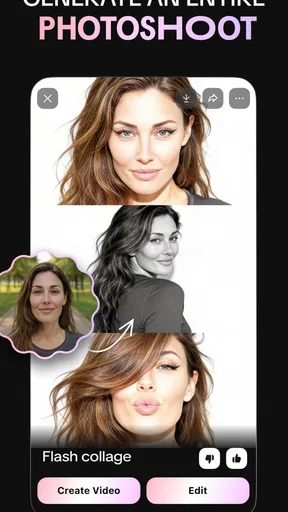
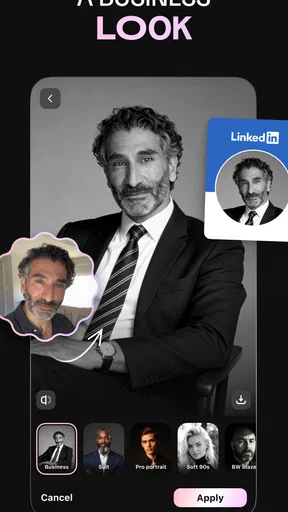
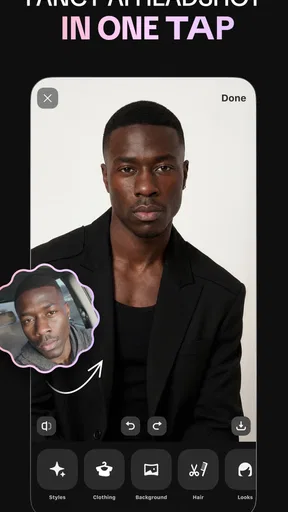
Our Review of GIO: AI Headshot Generator
 Analysis by Appyee
Have you ever found yourself scrolling endlessly through your photo gallery, desperate for just one decent headshot? Well, say hello to GIO: AI Headshot Generator, the app that promises to revolutionize your selfie game. I downloaded it recently, and let me tell you, it’s like having a professional photographer right in your pocket.
Getting from selfie to usable headshot
AI portrait apps can feel simple until the result is not quite right: a face looks different, the background feels artificial, or the source picture does not give the system much to work with. I would approach GIO as a way to create a polished portrait from a suitable photo, not as a substitute for every part of a professional shoot. That distinction matters if you need an image that represents you accurately for work, school, or a public profile.
My first practical check would be the source image. Pick a photo where your face is clear, reasonably well lit, and not hidden by a strong shadow, hair, or an accessory. A clean starting point gives an editing app less to guess about. If the first result seems off, I would try a different original before stacking on more adjustments; a better input often helps more than trying to repair a weak one.
It is also worth deciding what the portrait is for before choosing a look. A friendly profile picture can tolerate a more stylized background, while a résumé or company biography usually benefits from a restrained, believable presentation. I would compare the finished image with a recent everyday photo and check that the face still looks recognizably like me. The point is polish, not an entirely different identity.
First Impressions
When I first launched the app, I was greeted with a sleek and user-friendly interface. It’s clear that the developers wanted to make sure even the most tech-challenged among us could navigate it with ease. No confusing menus here—just straightforward options that guide you directly to what you need.
The setup process was a breeze. You can either upload an existing photo or snap a new one within the app. I opted to take a fresh pic, and I was pleasantly surprised by the built-in camera’s quality. It felt like my phone had transformed into a high-end DSLR, ready to capture my best angles.
For a less frustrating first attempt, I would take a moment before shooting: face a soft, even light source, keep the camera around eye level, and use a plain setting that does not compete with your face. These are general portrait-making habits rather than special app settings, but they make it easier to judge whether a result improved the photo or merely changed its style. If you already have a sharp, well-lit image, uploading it may be more convenient than taking another one.
Features That Stand Out
So, what makes GIO: AI Headshot Generator a game-changer? For starters, the AI technology is top-notch. It analyzes your photo and makes real-time adjustments to light, shadows, and even blemishes. It’s like having a personal stylist ensuring you look your absolute best.
The app offers a variety of filters and editing tools, but what really caught my eye was the automatic retouching feature. It’s subtle enough to enhance your natural features without making you look like a completely different person. I love that it preserves the authenticity of the image.
Another cool feature is the background swap. Want to look like you’re in a professional studio? No problem. The AI can seamlessly blend your headshot with different backgrounds, giving you that polished, LinkedIn-ready look.
Background choice is one of the details I would treat carefully. A neutral, low-distraction option tends to keep attention on the face, while a dramatic setting can make a portrait look more like a themed image than a work photo. Before settling on one, I would inspect the outline around hair and shoulders, because those edges make an artificial replacement easiest to notice. If they look convincing at normal viewing size, the image is more likely to work in a small profile thumbnail too.
A useful workflow is to keep the original photo unchanged, make one edited version, and compare them side by side before deciding. That makes it easier to spot when retouching has softened details too much or when a background no longer fits the intended audience. For a professional profile, I would choose the version that looks credible in a quick glance rather than the one with the most dramatic transformation.
Performance and Usability
In terms of performance, the app runs smoothly without any glitches. I’ve used it on both Android and iOS devices, and the experience was consistent across platforms. It doesn’t hog your phone’s resources, so you don’t have to worry about battery drain or lag.
The AI processing is quick, typically taking just a few seconds to transform your photo. It’s perfect for those moments when you need a headshot on the fly and don’t have time to mess around with complex editing software.
If an image does not appear to process as expected, I would start with ordinary checks rather than repeatedly changing the portrait: confirm the selected photo is available on the device, make sure the connection is working if the task requires one, and give the app another try after closing and reopening it. If a result looks strange, choosing a clearer source image is a sensible next step. These checks are useful because a poor source and a temporary technical hiccup can look similar at first.
For an everyday example, imagine needing a new profile image before sending out a freelance proposal. I would choose a recent, front-facing photo, generate a restrained studio-style portrait, then check the crop at the size it will appear on the profile. I would also keep a copy of the original nearby in case I decide the edited version feels too formal or does not match the rest of my portfolio. That small comparison can prevent a polished image from feeling out of place.
Where a generated portrait may not be enough
GIO is most useful when you need a neat headshot quickly and can accept an AI-enhanced interpretation of your appearance. It is a practical fit for a personal profile, a casual business page, or a temporary image while arranging a proper session. It is less suitable when a client, employer, school, or publication expects an unaltered photograph, or when exact likeness is especially important. In those cases, a straightforward camera portrait or a photographer who can capture you in person is the safer choice.
Compared with a regular photo editor, the appeal here is the focus on headshots and portrait presentation rather than broad manual control. A general editor may be better if you want to adjust a specific detail yourself or work on many kinds of images. A conventional photo shoot is better when you want guidance on posture, clothing, expression, and lighting at the same time. GIO sits between those options: more targeted than a general editing tool, but not a replacement for the human direction and real-world context of a photographer.
Who Is It For?
Honestly, GIO: AI Headshot Generator is for anyone who needs a high-quality headshot without the hassle of a professional photo shoot. Whether you’re updating your social media profiles, creating a business card, or just want a nice photo for your grandma, this app has got you covered.
Freelancers, business professionals, and even students will find it particularly useful. It’s like having a secret weapon in your arsenal, ready to help you make a great impression at a moment’s notice.
I would especially recommend it to someone who has a usable portrait but wants a more polished presentation without learning a full editing suite. On the other hand, anyone who dislikes AI-style retouching, needs precise control over every edit, or must provide a strictly documentary photograph may be happier with a regular camera image and manual editing. The key question is whether convenience and a studio-like finish matter more than complete control over how the picture is made.
GIO is free to download, with optional in-app purchases ranging from $0.99 to $49.99 per item, so I would check the available choices in the app before committing to a particular workflow. It is rated for Everyone, and it is developed by Prequel Inc. The app has a 4.6 average from around 125,000 ratings and more than 5 million installs. Those figures suggest it has reached a broad audience, but they do not guarantee that every generated portrait will suit your face, source photo, or intended use.
The practical details are straightforward: it is a photography app, its current version is 1.24.1, and it requires Android 9 or later. It was released on August 25, 2023. If you are deciding whether to install it, the most useful test is not how striking a sample portrait looks; it is whether the app can produce an image that still feels like you and fits the place you plan to use it.
Final Thoughts
In a world where first impressions can make or break opportunities, having a great headshot is more important than ever. GIO: AI Headshot Generator delivers on its promise to help you present the best version of yourself. It’s an app I didn’t know I needed until I tried it, and now, I can’t imagine going without it.
If you’re on the fence, give it a shot. You’ll be amazed at what a little AI magic can do for your selfies. Plus, it’s a fun way to experiment with your look without any commitment. Go ahead, download it, and get ready to see yourself in a whole new light!
Verdict
Strengths of GIO: AI Headshot Generator
- Generates realistic headshots quickly.
- Easy-to-use interface for all users.
- Offers a variety of style options.
- High-resolution outputs available.
- No technical skills required.
Limitations of GIO: AI Headshot Generator
- Requires internet connection to function.
- Limited free usage without subscription.
- Occasional glitches with facial features.
- May struggle with complex requests.
- Privacy concerns with data usage.
Other Releases by Prequel Inc.
View All
PREQUEL AI Filter Photo Editor
Photography4.5
Similar Picks in This Category
View All
Google Photos
Google LLC4.4

Gallery
Google LLC4.2

Picsart AI Photo Editor, Video
PicsArt, Inc.3.9

B612 AI Photo&Video Editor
SNOW Corporation4.1

BeautyPlus-Selfie Photo Editor
PIXOCIAL TECHNOLOGY (SINGAPORE) PTE. LTD.4.5

Remini - AI Photo Enhancer
Bending Spoons4.1
Frequently Asked Questions
What is GIO: AI Headshot Generator used for?
GIO: AI Headshot Generator is an application designed to create professional-quality headshots using artificial intelligence. It's perfect for individuals who need a quick and easy way to produce high-quality photos for professional profiles, resumes, or social media. The app uses advanced algorithms to enhance features and ensure a polished look.
Is GIO: AI Headshot Generator free to use?
GIO offers a free version with basic features, allowing users to generate standard headshots. However, for access to premium features such as advanced editing tools, higher resolution images, and additional customization options, a subscription or one-time purchase may be required. Check the app store for pricing details.
How does the AI technology in GIO work to enhance images?
The AI technology in GIO analyzes the uploaded image and applies enhancements to lighting, sharpness, and facial features. It uses machine learning to identify key areas for improvement, ensuring each headshot looks natural and professional. This includes automatic adjustments to skin tone, blemish removal, and background optimization.
Can GIO: AI Headshot Generator work offline?
No, GIO requires an internet connection to function effectively. This is because the AI processing and image enhancements are performed on cloud servers to ensure high-quality results. Therefore, a stable internet connection is necessary to upload images and receive the processed headshots.
What file formats does GIO support for uploads and downloads?
GIO supports a variety of file formats for uploads, including JPEG, PNG, and BMP. For downloads, the app typically provides images in high-resolution JPEG format, optimized for both online use and printing. This ensures versatility and compatibility with most platforms and devices.
